Connect Mobility Work to other industrial solutions
Connect Mobility Work CMMS software to your tools (ERP, MES, time keeping software, etc.) and optimize the performance of your teams.




















Why connect Mobility Work to your environment?
Connecting Mobility Work to your other industrial solutions allows you to centralize data, streamline processes, and improve maintenance performance.By integrating with your existing ecosystem (ERP, IoT, MES, PDCA, BI, etc.), Mobility Work breaks down data silos, improves the reliability of field data, and supports better decision-making.
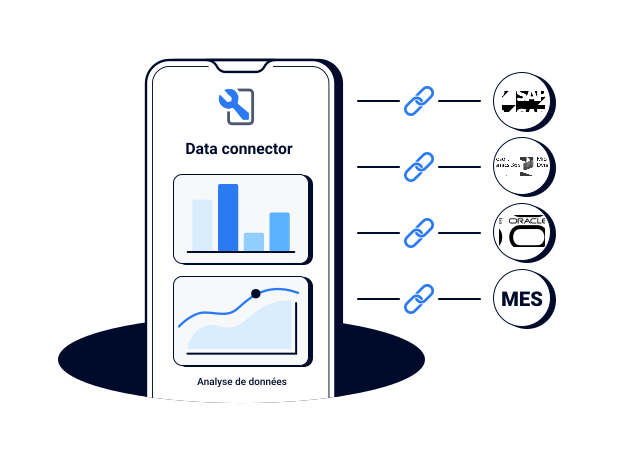
Integration examples
System
example
Benefits
ERP
(SAP, Sage, D365,..)
Mobility Work connects to your ERP to automatically synchronize data related to spare parts (locations, costs, minimum and maximum stock values), assets, and interventions.When a technician consumes a spare part in Mobility Work, the transaction is automatically sent to the ERP. Stock availability is therefore visible in real time across your systems.

Analytics, BI
(Power Bi, Metabase,..)
Combine data from multiple systems (ERP, MES, etc.) using the Mobility Work Data Connector to analyze all your data from a single tool.Create custom dashboards to turn your industrial data into useful, reliable, and actionable indicators.
PDCA
(Fabriq, Solvace)
Connect Mobility Work with your PDCA software to create a direct link between problem detection, field actions, and continuous improvement.Maintenance becomes a core component of PDCA loops driven by production and operational excellence.Identify a deviation in Fabriq? A work order is automatically created in Mobility Work.
MES / IOT
(Apriso, Aquiweb, SAP MES,..)
By connecting your MES or IoT platform directly to the CMMS, anomalies and breakdowns detected in production are automatically sent to maintenance.
This automation reduces reaction time, improves team coordination, and strengthens equipment reliability management.
FAQS
Want to learn more about Mobility Work?
We’ve gathered the most common questions to help you better understand our solution.
Don’t hesitate to book a meeting directly with our team.
Common questions about functionality
Do not hesitate to book an appointment directly with our team!

How long does it take to set up Mobility Work?
Do you have free profiles for production, service providers?
Is the solution easy for technicians to handle?
Can Mobility Work connect to other solutions?
Want to know more?
Schedule a discussion about your integrations