CMMS news: design and analytics | December 2019

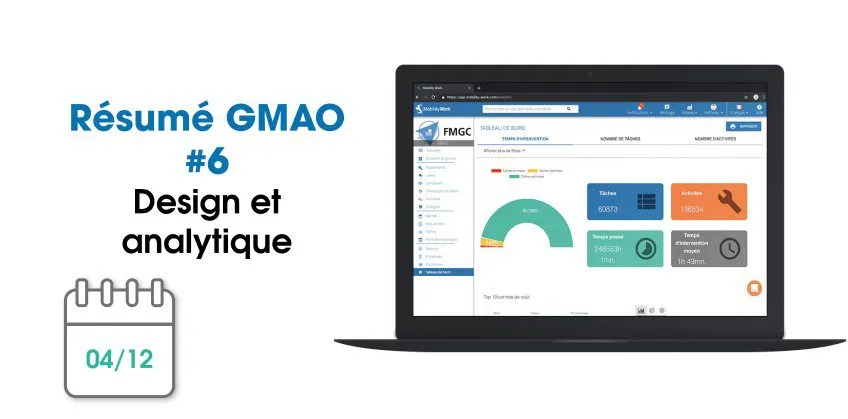
Each month, find on our blog a summary of the news brought to the CMMS software (computer-aided maintenance management) from Mobility Work. In November, our teams worked on the new design of some strategic pages and offer you a new tool in the dashboard.
The equipment and research pages are getting a new look!
Mobility Work makes every effort to improve navigation on its CMMS and offer its users an intuitive and easy to use maintenance management platform.
Evolution of the equipment page
Your equipment page on the web application is evolving: our teams have worked on a new design of the page, which still allows you to continue to have access to the old view, by clicking to the right of the search bar. Now, the page is more readable and intuitive, it allows you to navigate between the different equipment and to see, at a glance, the information related to the machine.

This page is now common to the Report page, Equipment tab, to allow you to quickly find what you are looking for. You also now have a “Create” button directly on this page, and a rich filter panel.
An improved design
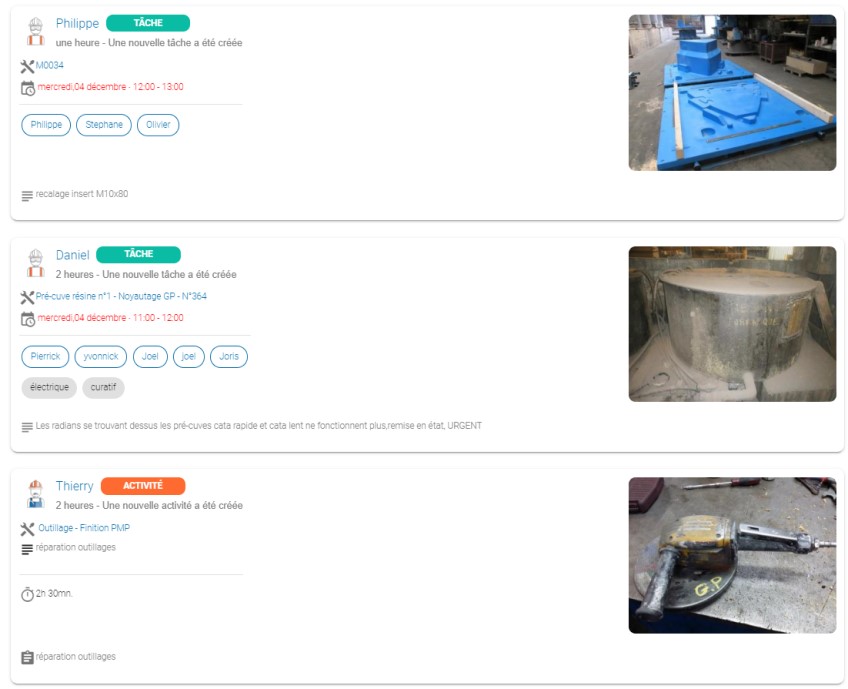
At the same time, still on the web tool, our teams offer you a new design for the news feed and for the history of tasks. Thus, the user pictograms have been improved and you have a better overview of the equipment concerned by the task or activity, the deadline set, the labels, etc.
The search tool in your CMMS is evolving
The search bar available in your application helps you find, in a few clicks, the equipment you are interested in. Once the search results were displayed, you already had the option to filter them using the filter panel. Today, you can even choose to exclude spare parts from the results.

New dashboard in CMMS
The analytical tool with which Mobility Work CMMS is equipped allows you to find, in one and the same place, all your maintenance data grouped together in the tool. For example, these allow you to find the top 10 tasks carried out by the teams, the time spent on the equipment or the top 10 of the most active users, all over a period to be defined.
HOW DOES THE ANALYTICAL TOOL WORK?
Recently, you also have access to a dashboard on counters in this analytical tool.
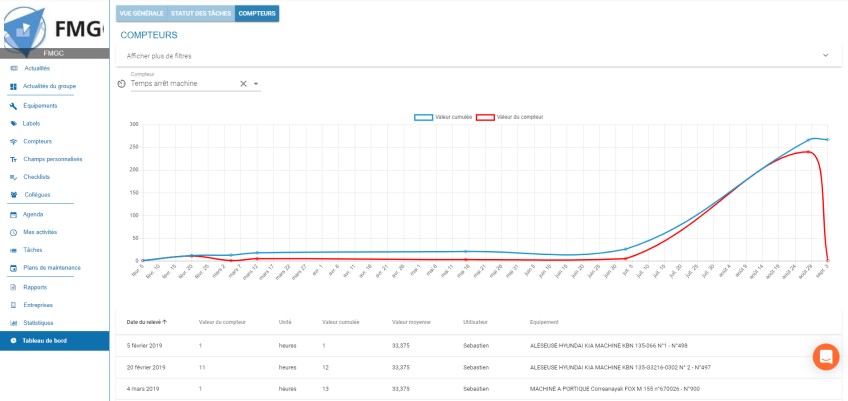
To view the data, select the counter of your choice, which you have already created. Thanks to the filter panel, you can then define a date range, select a particular device or user, or even choose labels. Below the graph, other data is then available, such as the date of the reading, the value of the meter or the equipment concerned by the search.
Better communication between teams
Mobility Work is a community CMMS: it is presented as a real social maintenance network. It makes it possible to connect all professionals in the maintenance sector, whether they belong to the same factory or even the same group or whether they work for two different companies.
This industrial maintenance management platform thus encourages the sharing of information and discussion between teams, in particular via the chat tool. In this logic, users receive notifications. Since a few days, an email has therefore been automatically sent to the creator of a task when it is marked as complete.
To continue to follow our news and stay informed of our news, subscribe to receive our updates!
Any questions?
Contact us to discover the first CMMS that can be deployed in 3 weeks.