CMMS news: mobile update and analytical table

Each month, find on our blog a summary of the news brought to the CMMS software from Mobility Work. This month, we invite you to discover the update of our Mobile CMMS as well as the arrival of a new dashboard: the one allowing you to monitor the flow of your spare parts!
You can also discover our new products on video!
Gain flexibility in the field thanks to the mobile update
As we had announced on our blog, the update of the Mobile CMMS has allowed for numerous improvements. The ergonomics of the interface have been improved, and several new features are now available.
Find your suppliers in mobile CMMS
Mobility Work proposes to connect maintenance professionals and industrial manufacturers and suppliers. The catalogs of our partner suppliers were already available on the web version of the CMMS, they are now also on mobile!
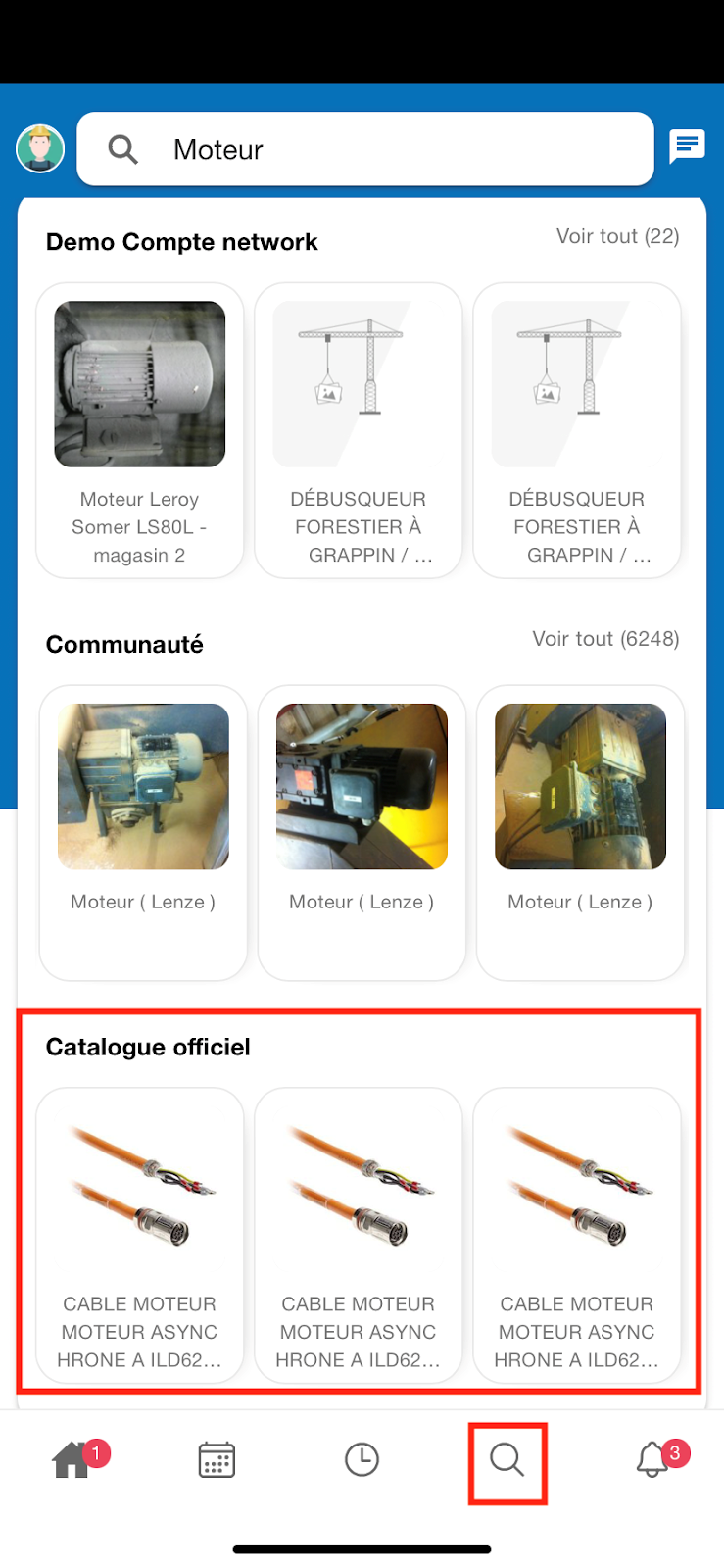
Use the Search tab to find references, which will appear under the results of your network and the maintenance community. If you are looking for a specific product, simply type in the keywords that may be associated with it (“engine oil”, “nuts”, etc.).
When you click on a product, you access a whole list of information relating to the selected reference (name, reference, documentation, supplier contact information, etc.).
Choose the action to perform in your mobile CMMS in one click
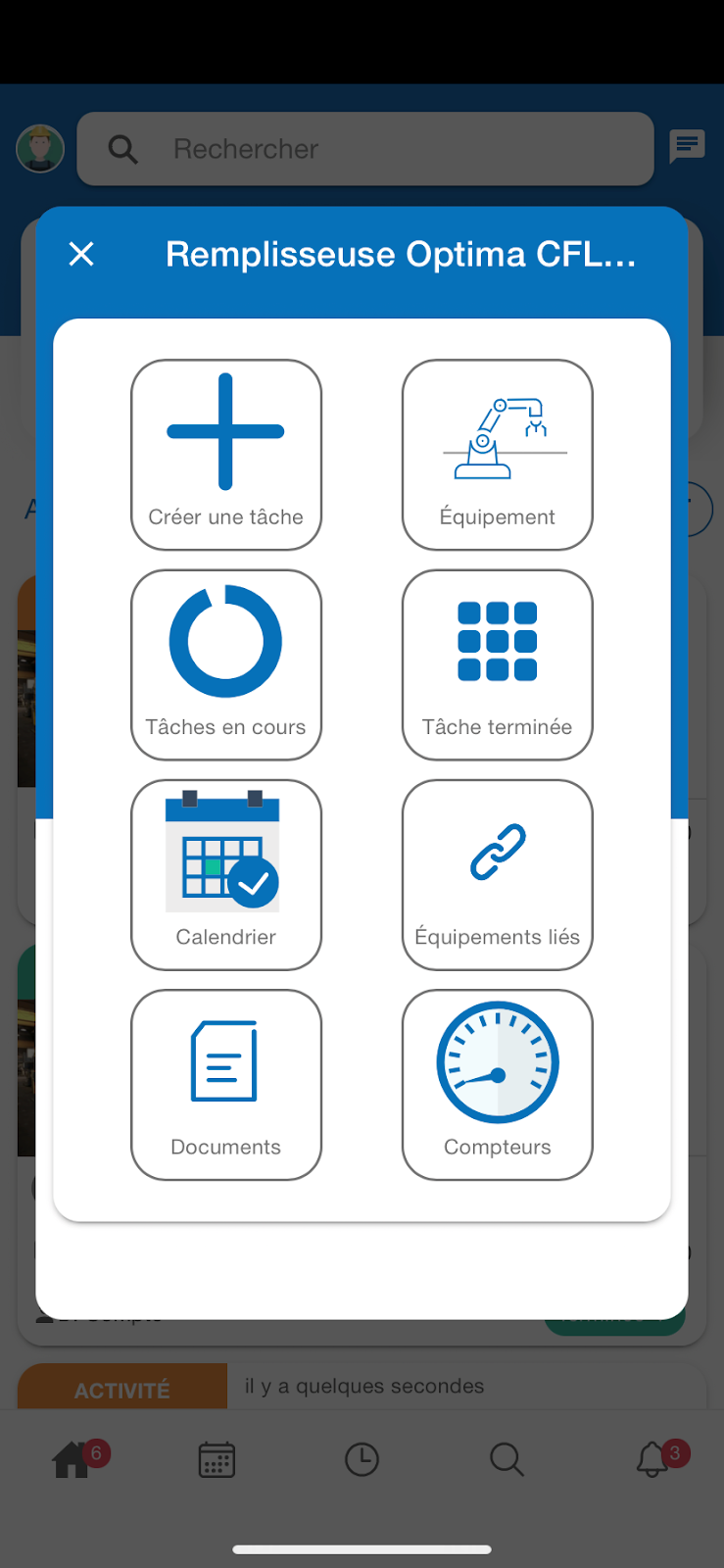
As soon as you scan a QR code, a multiple choice pop-up appears on your screen. So, in a second, you can choose to:
- Create a task
- Register equipment
- Show current tasks
- Show completed tasks
- See the equipment calendar
- View linked documents
- View equipment documents
- See the list of associated counters
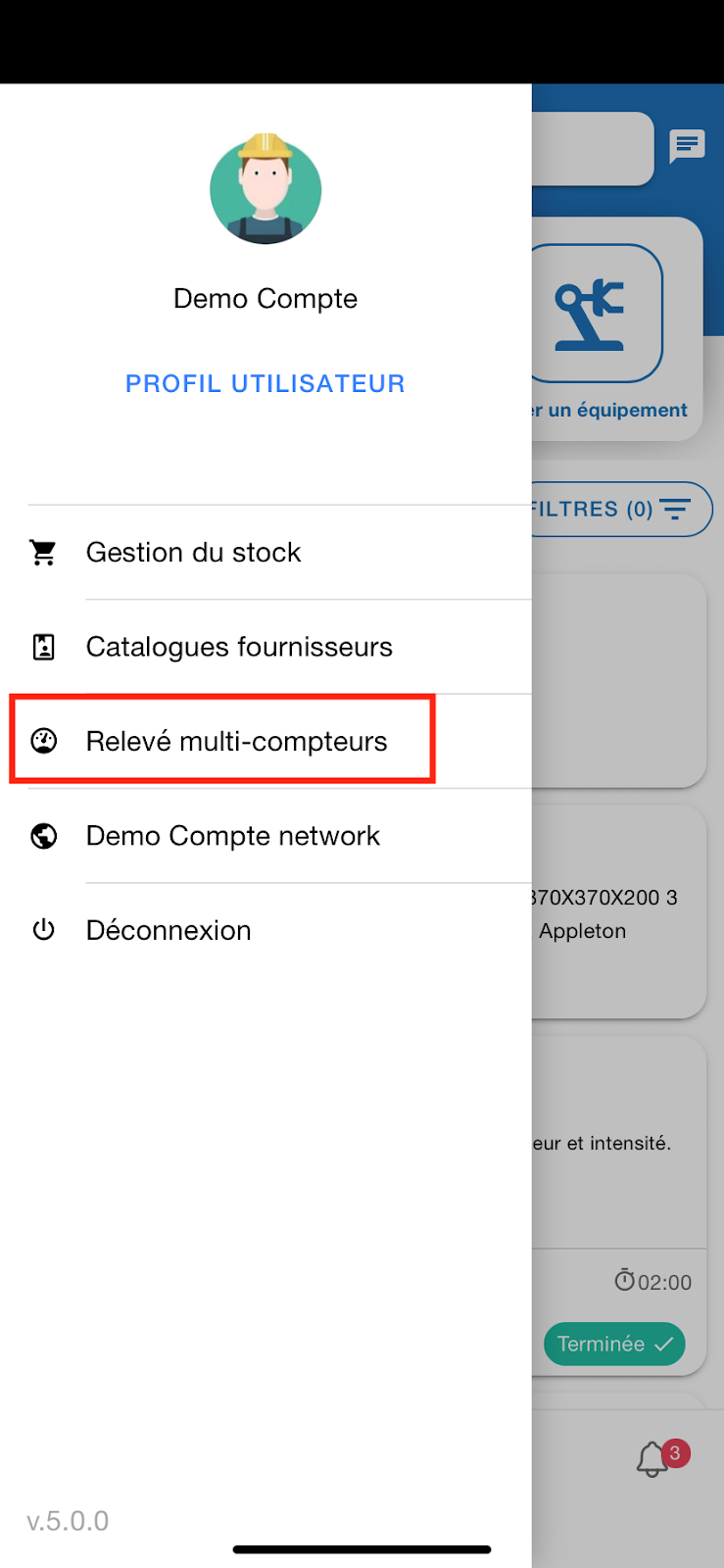
Read your meters en masse
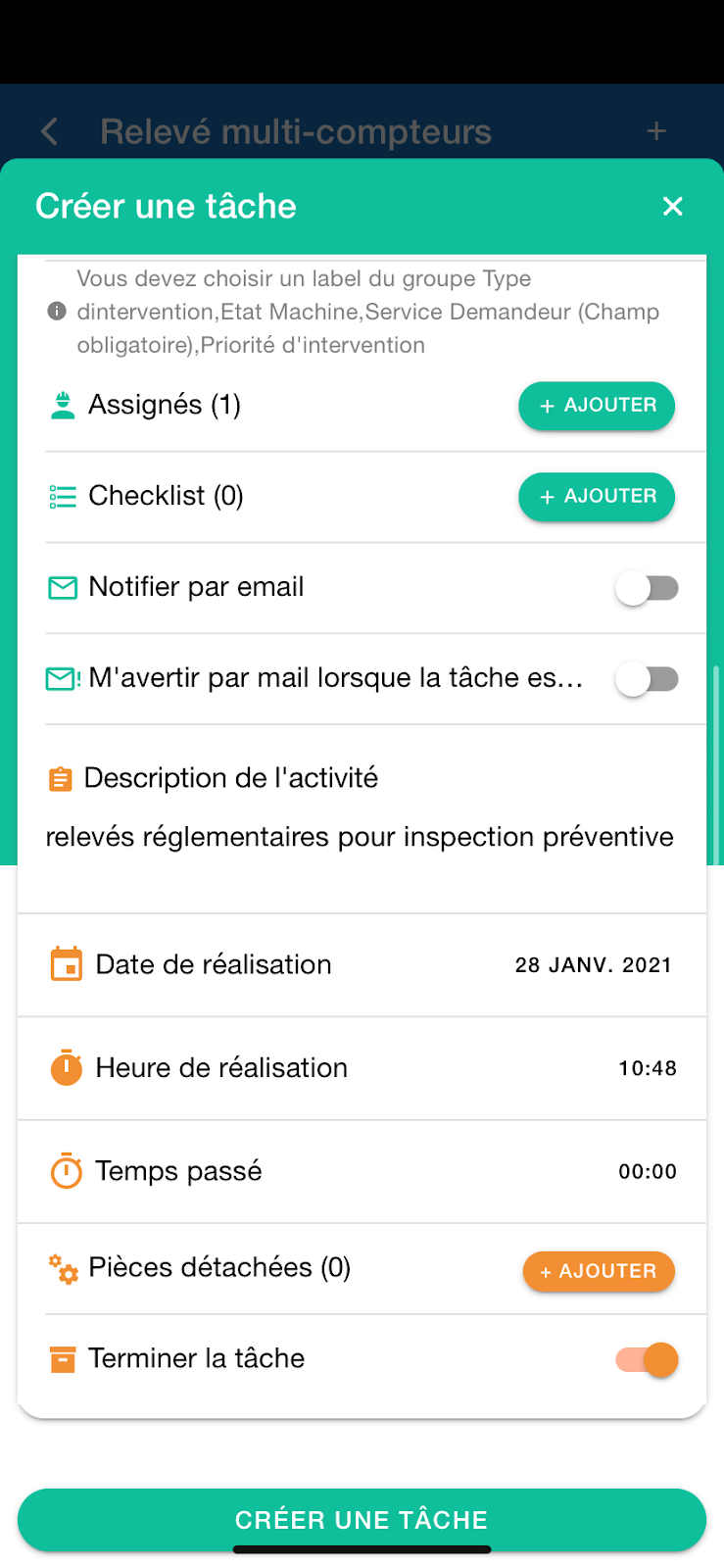
Thanks to this new feature, you can save time during your daily rounds. Reading your meters can be done in a few seconds: from the Multi-meter Readings tab of your Mobile CMMS, scan the QR code of the meter you are interested in, or click on “+” to select an equipment manually.
On the Counters page that opens, select the one you are interested in and enter the reading. You can also add several counters to a single device by clicking on “+ counter”. Once you have entered your readings, click “+ add counter value” and repeat as many times as needed.
Once you have completed your statements, click on “Generate tasks”. All you need to do is enter the information you need in the task and activity creation forms that appear: this information will be replicated for all values collected. As soon as you have validated the operation, the tasks created automatically appear on your news feed.
Discover the dark mode of your mobile CMMS application
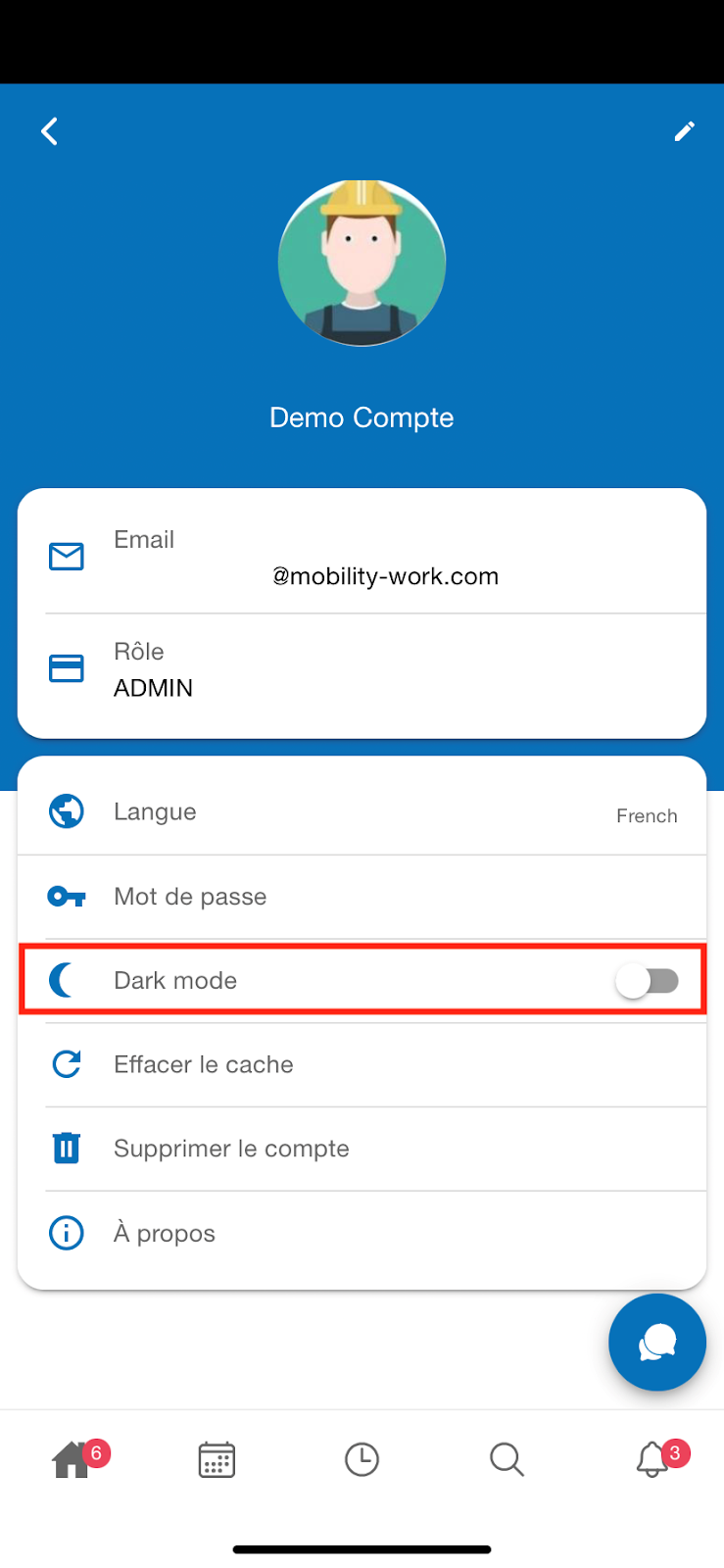
One of the latest innovations in the mobile application is the arrival of dark mode, which allows you to gain readability if you work in a night shift, and which is in any case less energy-intensive.
To activate it, simply open the left menu of your tool and click on “User Profile”. There, a slider allows you to activate the dark world.
Analyze your spare parts flows in CMMS
You may have already noticed, a new analytical table has arrived in your CMMS (web version).
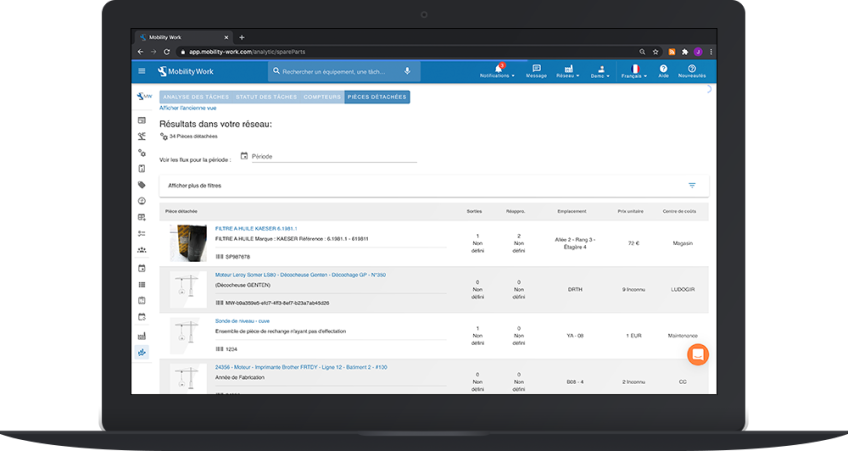
Once in the Dashboard menu of your CMMS, simply click on the “Spare Parts” tab at the top of the screen. Thanks to it, you can follow the incoming and outgoing flows of your spare parts according to various criteria (date range, cost center, operator, equipment...).
Rendezvous quickly on your CMMS to benefit from these new features, and don't forget to update your mobile application (android and ios) to take advantage of the latest features!
Any questions?
Contact us to discover the first CMMS that can be deployed in 3 weeks.