CMMS news: new design of the mobile application | February 2020

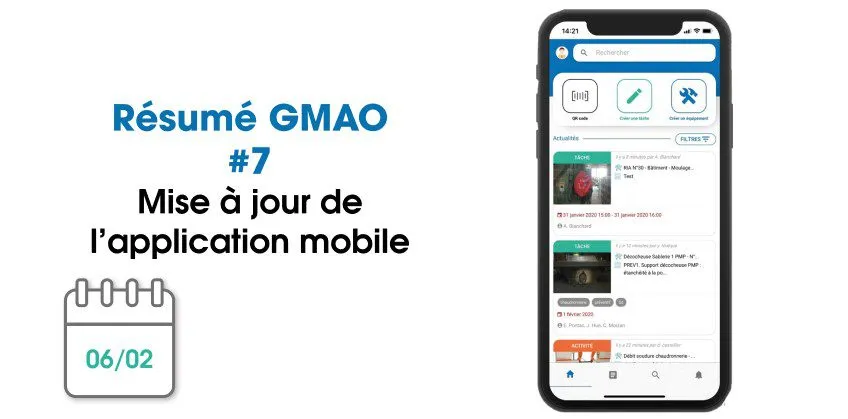
Each month, find on our blog a summary of the news brought to the CMMS software (computer-aided maintenance management) from Mobility Work. To celebrate this new year that is beginning, we announced to all our users the update of their mobile application!
Discover the new version of the CMMS mobile application
The new version of mobile CMMS, whose release you announced to us a few days ago and which was expected by many of our customers, is now available!
DISCOVER THE ANDROID APP DISCOVER THE IOS APP
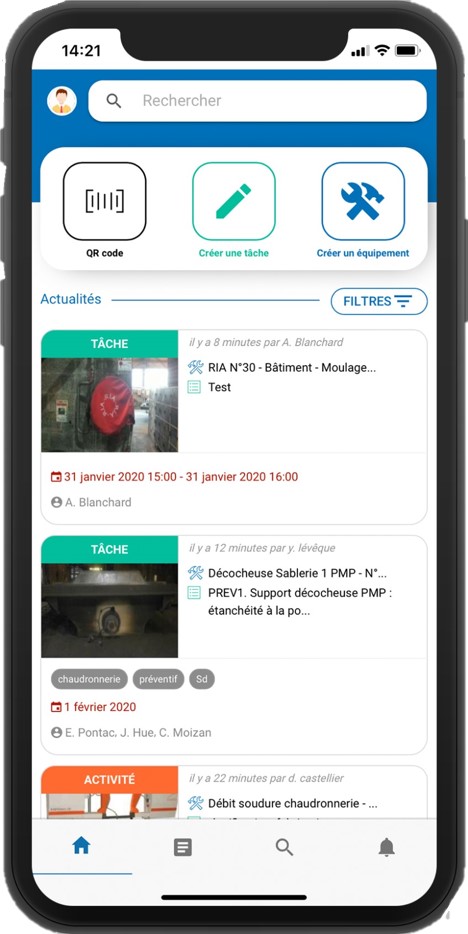
The design has been completely redesigned, so that you now find the same differentiated colors for tasks, activities and equipment as on the web version, especially on the news feed. You have a search bar, which shows your latest requests and the latest equipment you have searched for. You can use filters, which will be retained from one search to the next.
From the home page and the news feed, you can scan the QR code of an equipment, create a task or create an equipment. In the equipment sheets, you can access all related information (history, photos, documents, associated tasks, linked equipment, etc.). As for activities, you can always use voice input, choose to be notified by email and enter the time spent: you now use an automatic (minute) or manual timer. Download the documentation directly to your mobile and set the appropriate privacy settings. If, as part of an activity, you take out a spare part, scan its QR code to update the stock.
Finally, go to your profile to edit it at any time. You will also find the Intercom bubble at the bottom right of the CMMS screen to contact our support if you encounter a problem. If necessary, you have access to the Assistance Center, where you can find all the questions you may have.
Retrieve maintenance data
Thanks to the latest updates to your Mobility Work maintenance management platform, you benefit from even more visibility on all your operations: administrators can now receive weekly reports every Monday, by email, starting at 12 am automatically. This is an opportunity to review the activity of your teams and to take stock of the latest operations carried out.
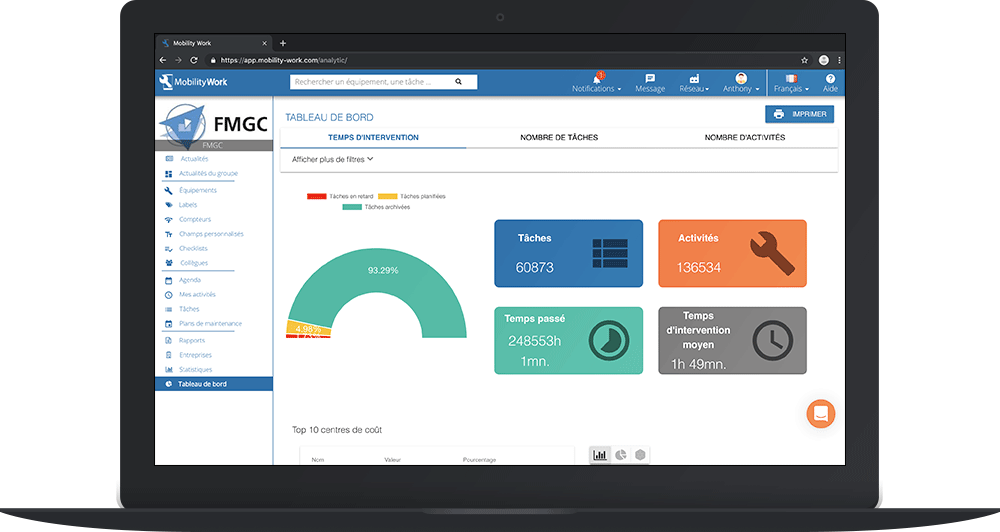
Users continue to see their analytical tool evolve: with the new menu (accessible from the left of your screen), the Statistics tab has disappeared. It remains accessible from the dashboard (click on “Show old view”). You can thus access tables that group your maintenance data and analyze your maintenance to adapt your strategy accordingly.
Manage your stakeholders, tasks and activities in CMMS
Among the news in January, we also find better management and organization in the various activities to be carried out. Among other things, you can now assign a production profile to a maintenance plan (level 1), choose to be alerted or not when a task finishes if you created it yourself, access a simplified task creation form directly from the home page or even ask your supplier for equipment documentation from the latter's sheet.
Research is evolving!
In terms of research, you have seen a number of improvements. When you are on the news feed, the last saved filter will be used by default the next time you search. You can now add colors to the labels and filter the news feed using only the labels, in order to show only related activities. A QR code button has also appeared in the results list when you search, making it much easier for you to view and print QR codes.
To continue to follow our news and stay informed of our news, subscribe to receive our updates!
Any questions?
Contact us to discover the first CMMS that can be deployed in 3 weeks.