CMMS news: filters, Hub and notifications | December 2020

Each month, find on our blog a summary of the news brought to the CMMS software (computer-aided maintenance management) by Mobility Work. This month, discover an improved dashboard, new features in the official catalog and supplier platform, as well as the work of our teams around notifications.
You can also discover our new products on video!
Filter your dashboard
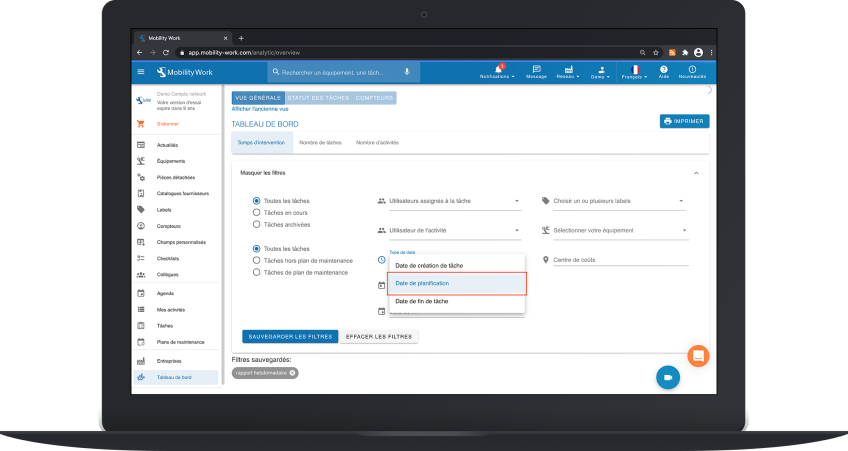
The key to a good maintenance management is certainly organization and efficiency. The dashboard of the GMAO Mobility Work and its filter panel were developed to meet these two criteria. Now, you can filter the display of your dashboard according to three types of dates: creation date, planning date or even task end date. To do this, go to your application: Mobility Work > Dashboard > Show more filters > Date type.
Filter and duplicate from the official catalog
The official Mobility Work catalog gives you unlimited access to services, equipment and supplier documentation. It is very useful in maintenance operations management.
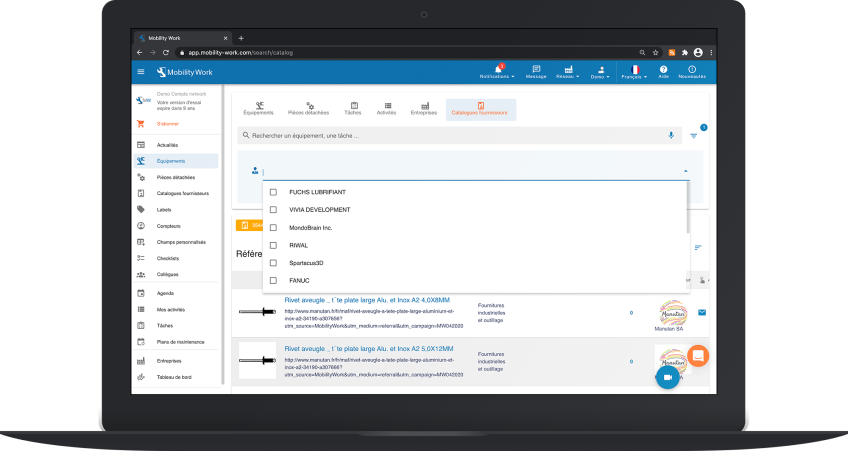
So we are back this month with two new features concerning the official catalog. In order to optimize your searches, we offer you a filter allowing you to select the supplier of your choice: once on the “Supplier Catalog” tab, click on the “Filters” icon on the right of the search bar. Once there, you will find your supplier from the dropdown list.
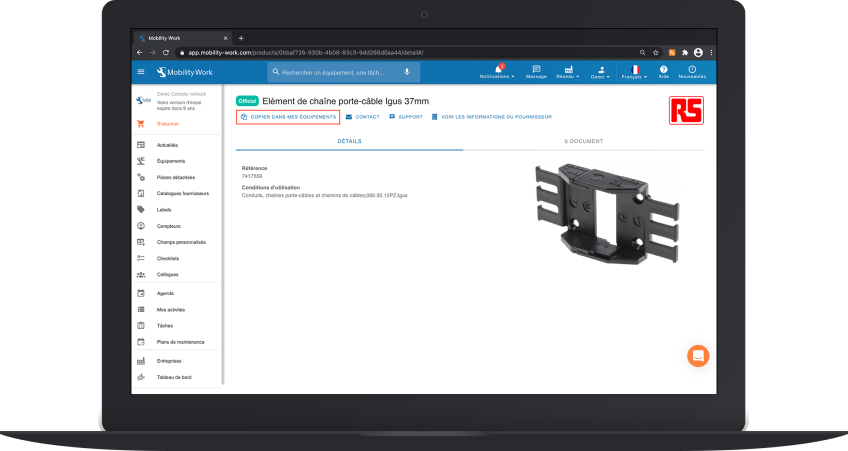
The second novelty relating to the official catalog concerns the duplication of references. Indeed, if you choose to duplicate a reference from the official catalog, the documents associated with it will also be duplicated on your equipment sheet. This new feature saves a lot of time. To duplicate a reference, select the one of your choice from the “Supplier Catalog” menu, then click on “Copy to my equipment”.
Mobility Work Hub and CMMS
On the Mobility Work Hub side, a novelty is also to be presented: our suppliers now have the possibility to add manufacturer references as well as GTIN codes to their references. It should also be noted that this information is available for consultation for users of our GMAO.
Activate notifications
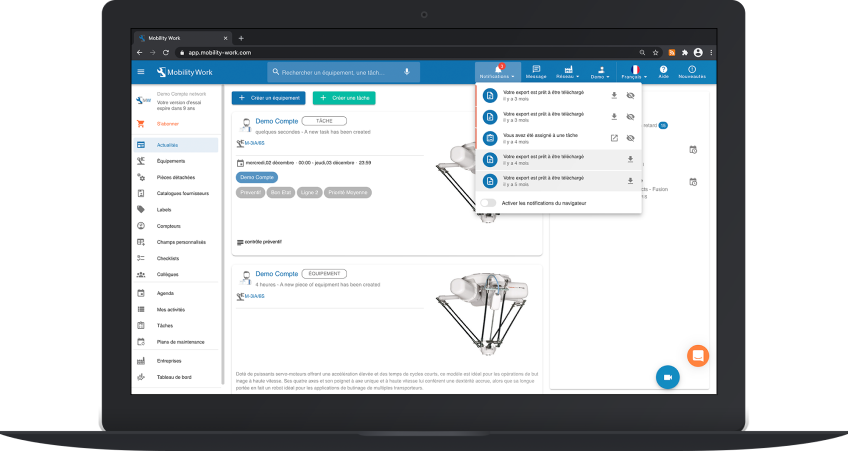
Finally, our teams have invested in improving notifications. You can now, from your GMAO, mark a notification as read and activate your browser notifications, in order to receive your notifications in real time as soon as Mobility Work is opened in one of your tabs. You will find these two functionalities in the “Notifications” tab, in the header of your application.
To continue to follow our news and stay informed of our news, subscribe to receive our updates!
Any questions?
Contact us to discover the first CMMS that can be deployed in 3 weeks.