CMMS news: create tasks in offline mode | September 2021

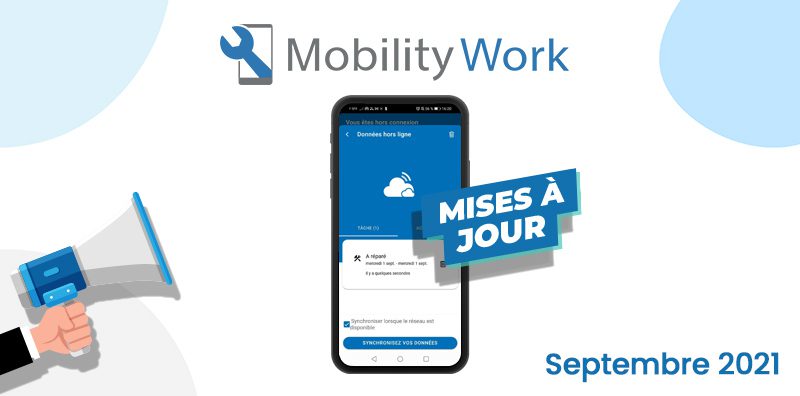
Each month, you will find a summary of the new features that have appeared in our CMMS application. This month, we are presenting the offline mode of the CMMS mobile application, which allows maintenance technicians to create tasks and activities on equipment even when offline.
Watch the latest news of the month on video
Who can access the offline mode of the Mobility Work mobile application?
Offline mode is available to all users with a Premium or Ultimate plan and using the Android application. This feature will be available very soon on iOS.
What features are available in offline mode?
Users of the Mobility Work mobile application can access some of its mobile functionalities even when it is disconnected from any Internet network:
- create a task on a piece of equipment;
- modify the task created in offline mode;
- declare the created task as complete;
- create an activity corresponding to the task created;
- add a counter to the created activity and fill in values;
- add spare parts to the created activity and fill in values.
How do I access offline mode?
Accessing the offline mode is very easy:
1. Synchronize your application
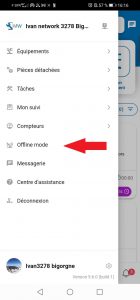
Open the left side panel of your application and click on “Offline mode” and then on “Synchronize your equipment”.
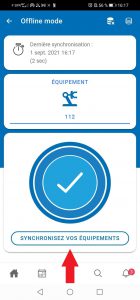
This action is to be carried out before intervening in offline mode, in the presence of network coverage. We invite you to perform this operation regularly if equipment is frequently added to your network.
2. Scan the QR code of the equipment on which you want to create a task

3. Create the task and then the possible activity
You can then create a task and an activity according to the usual procedure and enter counter or spare part values.
How is the data entered in offline mode synchronized?
On the “Offline Data” page, check that the “Synchronize when network is available” box is checked. Data entered in offline mode will thus be automatically synchronized as soon as the application reconnects, so as soon as the smartphone or tablet used returns to the mobile or wifi network.
Any questions?
Contact us to discover the first CMMS that can be deployed in 3 weeks.