Use QR codes for maintenance in your mobile CMMS software
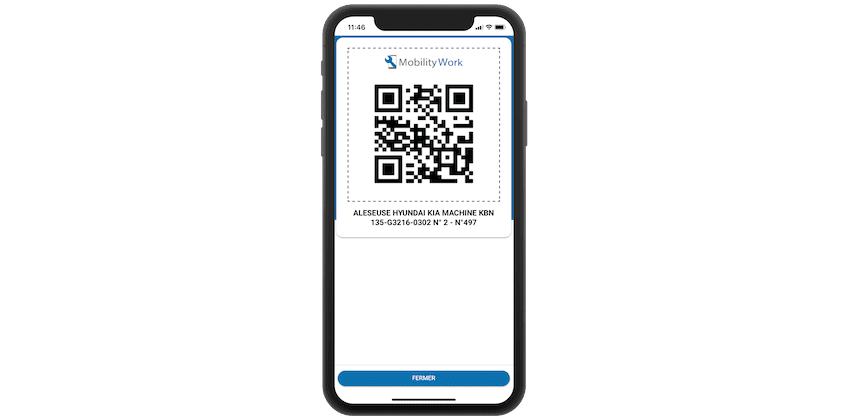
More and more new technologies are present in our daily lives, from QR codes on the food products we eat to NFC chips in the locks on the clothes we buy. All these elements can be useful for maintenance management and integrated into your plant's CMMS.
How to use QR codes for maintenance with your CMMS?
The mobile version of Mobility Work CMMS allows you to scan these elements and automatically trigger events. Here are a few examples:
- Automatic triggering of maintenance interventions : scanning the NFC chip or the QR code returns to the screen for creating a work order, which by default includes the pre-filled equipment, the technician and the intervention date.
- Quick identification of your equipment : the chip scan is configured to allow you to open the equipment sheet. This operation makes it possible to facilitate the work of new technicians or interim technicians, who are not aware of any information concerning the equipment.
- Identifying your spare part : this allows the maintenance technician to quickly see the quantity of stock, the location in the store, as well as the various equipment on which The spare part could have been used before.
- Access to the history of an equipment : scanning the NFC chip or reading the QR Code will allow the maintenance technician to directly access the intervention history of his equipment. Thanks to the search function, Mobility Work also offers him the possibility to search for a precise failure history associated with the machine on which he must work.
- Access to a range of operations or technical documentation : scanning the NFC chip or reading the QR code allows the technician to quickly access a range of maintenance concerning an operation, or to technical documentation indicating the procedure to be followed to carry out a maintenance operation.
Open your equipment sheet by scanning the associated QR code using your CMMS
In order to use these technologies, simply select the NFC or QR code options in your Mobility Work mobile CMMS. To activate the QR code, simply print it and paste it directly onto your equipment. When it comes to NFC chips, simply stick the chip to your phone when setting up and then stick it on your equipment. §
These technologies aim to facilitate the entry of maintenance operations and the consultation of various information, using functions that most smartphones have. It should also be noted that these technologies are very affordable, and can therefore be deployed quickly on many devices without incurring significant costs.
Finally, to make your choice between QR codes and NFC chips, we recommend that youstudy the environment in which your maintenance teams operate. If these are dirty and dusty environments, we advise you to use NFC chips. Otherwise, we advise you to opt for the QR code, for its ease of use and its low cost.
Vous avez des questions ?
Contact us to discover the first CMMS that can be deployed in 3 weeks.