Webinar: managing ancillary services using Mobility Work CMMS

The maintenance department of a factory or a company is rarely confined to the maintenance of production machines. He must also ensure compliance with safety standards, the good condition of buildings, the proper functioning of other production tools or the monitoring of environmental standards. By watching the replay of our webinar, discover how Mobility Work CMMS can be of great help to you for all these tasks, as it makes it easy to manage services ancillary to maintenance.
By integrating all your services into your Mobility Work network, you encourage good communication between the various departments of your company and allow them to monitor all the maintenance and maintenance actions of the equipment that concern them in the same software environment. Each department can thus manage its equipment and plan interventions on a single computer tool.
Watch the replay of our webinar dedicated to ancillary services
Manage your maintenance providers in your CMMS
You have planned interventions on equipment and do you want your service providers to integrate their intervention time and their intervention report into your CMMS? Thanks to the free “Service Provider” profile, you can integrate service providers into your network from the Colleagues tab.
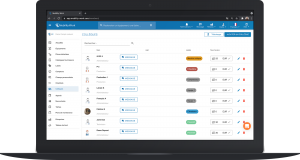
From this same tab, you can also display hourly rates if you have the Premium plan.
Your service provider can enter the time spent on each activity in connection with the tasks you have assigned to him. It can also add an intervention report for each of these tasks. You thus have access, from the tasks tab, to all the interventions that each external service provider has carried out.
Manage new works and investment projects
By separating your maintenance burden (budget allocated to the maintenance of machines) from your investments, you facilitate the work of your other departments, for example the Purchasing Department, in particular to validate investments or for invoicing, or even to obtain financial assistance from the State.
To do this, all you need to do is create equipment corresponding to investment projects. You can also use labels like “investment”, “fixed asset” (to separate the cost of fixed assets), or others.
For example, you can create the equipment “Machining - Immobilization - 2022" and create various tasks on it. You will thus be able to consult all the time spent machining on this equipment, or search for all fixed assets over an accounting year.
It is also possible to create a task linked to equipment, for example “Vega Probe Order”, to facilitate the work of the Purchasing Department.
Manage facility management or utilities
In the Mobility Work CMMS application, you can manage the maintenance of your buildings and all the equipment that is part of them. To do this, all you need to do is create equipment for each building, or even for each part of a building (for example changing rooms).
You can also create linked sub-equipment, for example to manage the maintenance of floors, ventilation, roofs, lighting, or computer networks.
In this way, you keep track of all the interventions carried out on each building.
VIDEOHow LOSC manages its facility management with Mobility Work CMMS
Quality, safety, environment and production
The quality
Regarding quality, you can use the Mobility Work application for example to manage the monitoring your tools or control templates. For example, you can follow the calibration set out in your maintenance plans, using the “Calibration” label.
Production tools
The maintenance of production tools, frames or any other tool used by production can be monitored in your CMMS. You can thus visualize at any time which tools are undergoing interventions, in the planner tab.
All production tools can therefore be integrated into the CMMS., in order to monitor them on a daily basis: repairs, replacement, purchase, etc.
Manage security measures
You can use our CMMS application to manage everything you put in place in your factory for improve safety : report items as soon as necessary, monitor issues, etc. Weekly meetings concerning daily safety or “security quarters” can thus be created as equipment and be the subject of planning thanks to the maintenance plan function. Each of these elements can also be linked to a particular building.
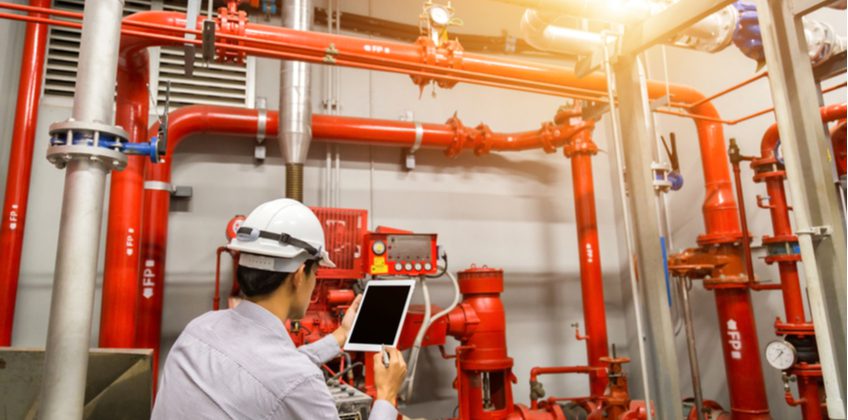
In addition, you can manage the maintenance of your fire system, your BAES or RIAs, your emergency blocks, your intrusion alarm or any other security-related equipment.
The periodic control of these elements can thus be monitored and benefit from perfect traceability, including when carried out by an external service provider (see above).
Activities related to the environment
You can analyze all environmental activities separately in our CMMS application simply by creating an “Environment” label and assigning it to all activities related to this subject, for example dust quantity measurements, discharges, water networks, etc.
For example, ISO 14001 certified companies, which need to measure dust rejection rates, can manage the maintenance and scheduled verification of their dust sensors in Mobility Work, including when external service providers perform these tasks.
By encouraging all of your departments to use Mobility Work CMMS for all these activities, you ensure that all your teams have the same information at the same time, and you guarantee optimal traceability of all the actions carried out.
Any questions?
Contact us to discover the first CMMS that can be deployed in 3 weeks.