CMMS retrospective: all the features released in 2020!

Embark on our 2020 retrospective! The past year has certainly proved to be trying to say the least, but our teams have brought a certain number of projects to life and have supported you as best as possible during the last few months! The update of mobile CMMS, the improvement of functionalities such as checklists or even our partnership with new industrial suppliers are just a few examples of what you have been able to discover in recent months...
Summary:
- A retrospective in images
- Updating our mobile application
- Improved notifications and search
- Importing your data made easy
- Optimize your interventions thanks to checklists
- Access your suppliers easily
- Task creation made easy
- Manage your teams effectively
- Control your licenses
- A streamlined experience thanks to our improvements!
Are you only discovering our community maintenance management platform? Discover our CMMS user guide!
1. A retrospective in images
While 2020 undeniably forced us to slow down the pace of events, we were nevertheless able to go to CES, in Las Vegas, and continue to organize our essential Customer Days, days during which we discuss, by video, with our customers about their use of the GMAO !
Watch our retrospective on video:
This past year has therefore especially given us the opportunity to develop a number of functionalities to meet the maintenance needs of customers of our maintenance management platform.
2. Updating our mobile CMMS
The start of 2020 marked the arrival of a completely new version of our Mobile CMMS : new design, search bar, intuitive home page, real-time chat... So many features that marked a turning point for our maintenance management platform.
You will find the same color code for tasks, activities and equipment as on the web version of the GMAO, as well as the possibility of using filters, stored from one search to another. You can also, directly from the home page, scan the QR codes of your machines and create tasks and equipment.
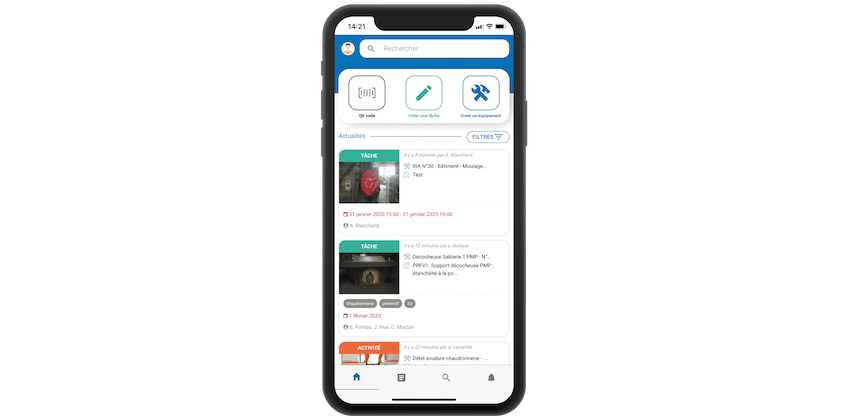
The interest of a Mobile CMMS is to give you the opportunity to work directly in the field, at the foot of the machines. This is why you can fill in a lot of information, on your interventions for example, using voice input, in a few seconds. All of your tasks and activities can also be organized from the My Agenda tool.
Finally, we have included a stock management feature: updating the stock is facilitated as soon as a spare part is released during an activity.
3. Improved notifications and search
On the web version of our GMAO this time the notifications and the search have been reworked.
As for the first ones, you can now mark them as read and activate them on your browser, to be notified as soon as you are assigned to a task, that an activity to which you are assigned is marked as complete...
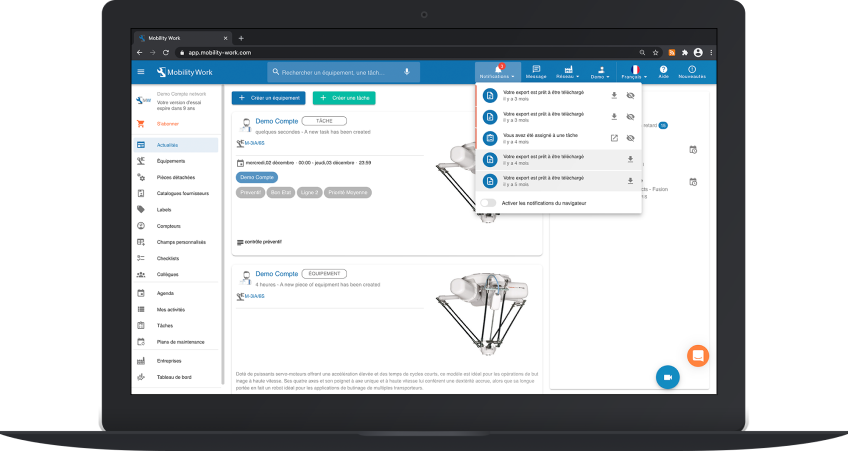
As for the search, you can for example use filters, which will be saved from one search to another to allow you to save time when filling in the GMAO. The screens have generally been improved to offer you better navigation on the platform, when looking for tasks for example.
4. Importing your data made easy
Change from GMAO or enriching your current system with new data can sometimes seem quite tedious. To make things easier for you and ensure a pleasant experience, you can now import all your data (tasks, equipment such as maintenance plans) using a file in XLSM format.
5. Optimize your interventions thanks to checklists
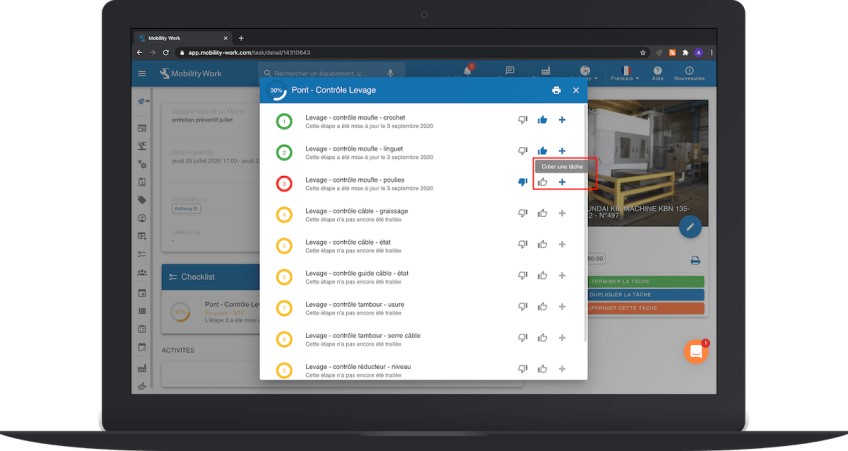
Your GMAO Mobility Work gives you the possibility to create checklists, which can be used in particular in the context of your preventive maintenance operations.
Given the importance of this feature, you can now print them to make them even easier to use and add photos to illustrate the various steps. You can also create tasks from the steps in your checklists.
6. Access your suppliers easily
La maintenance management platform Mobility Work connects users with suppliers and industrial manufacturers by establishing itself as a real Industrial marketplace.
To date, the GMAO allows you to find major industrial players such as Rexel, Fanuc, Manutan, RS Components... So many new partners who provide you with their reference catalogs directly in the Supplier Catalogs tab of your solution. You can therefore directly duplicate these products in your equipment, keeping the documents and information provided by the suppliers. The Contact and Support buttons allow you to contact them for information requests and/or in case of problems.
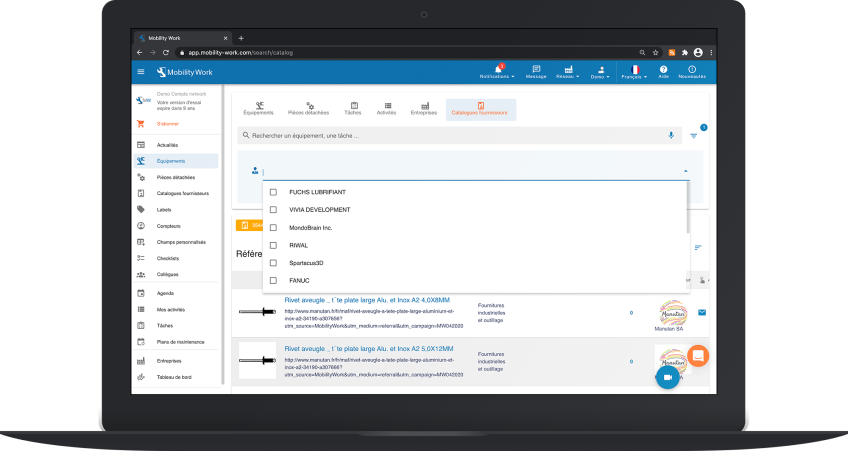
You can also filter the catalog to find the supplier you are interested in and consult the GTIN codes of the various references, provided by the company.
7. Task creation made easy
Mobility Work is a maintenance platform intuitive and easy to use. Creating a task therefore only takes a few seconds, especially since this feature was optimized.
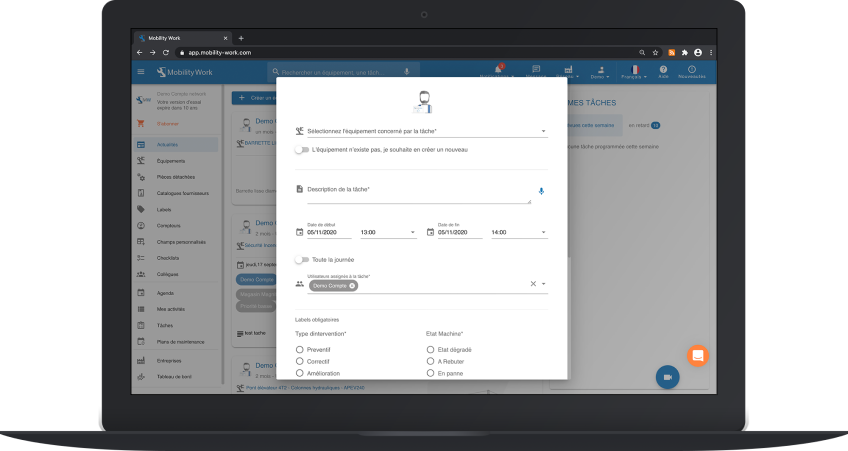
The task creation form has indeed been improved, and you can create one directly by clicking on the desired date in your calendar. Different statuses can then be associated with it: planned, started, started late, late or even completed. Once created, you can also print a preview of a task. Finally, you can add label groups to your tasks.
8. Manage your teams effectively
Our GMAO allows you to take on several roles within the maintenance community: administrator, technician, production... Administrators can obviously use this role to manage their teams and have a global vision of site maintenance activity.
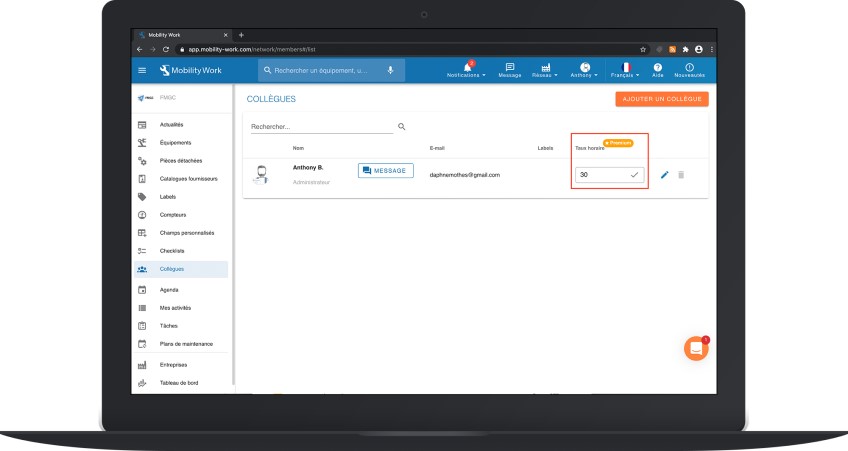
In this logic, administrators benefit from a scheduler tool (accessible from the Calendar tab), which gives them the ability to display the calendars of their team members on a single screen and to manage their tasks by moving them as needed. To go further, they can, from the profile of their colleagues, add their hourly rate.
In addition, administrators also have access to an equipment planner to visualize past or scheduled interventions on all their machines.
9. Control your licenses
In 2020, we also gave you the opportunity to control your licenses in a few clicks, directly from the GMAO. Administrators can now even better manage their teams and the roles of each stakeholder.
All you have to do is go to the Customer Account menu to track your purchased licenses and increase their number, if necessary.
10. A streamlined experience thanks to our improvements!
In parallel, our teams have worked globally to improve the design of several screens, to allow you to find your information even more quickly. For example, the search for tasks is easier thanks to filters.
You also find the possibility of using voice recognition to do your research, fill in your checklists or your labels... Labels that you can also adapt by choosing to assign colors to them.
You can finally print all your QR codes en masse, just like your equipment and spare parts.
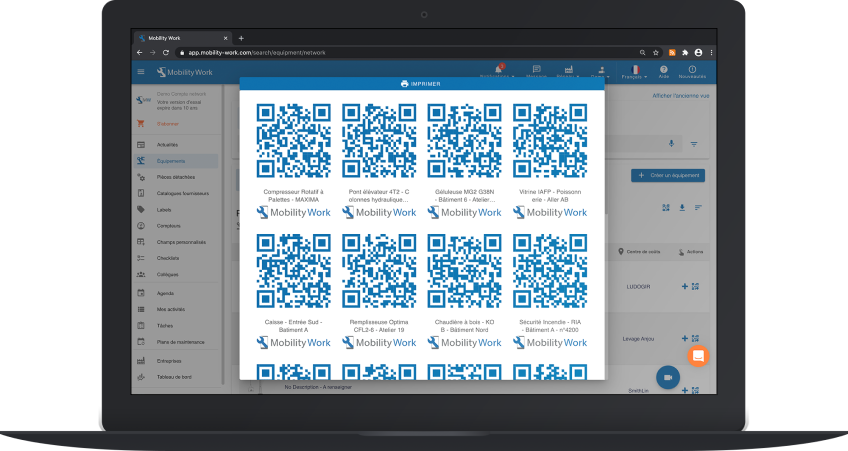
It will therefore be easier for you to assign them and then paste them on your equipment, to simply scan the QR codes in order to open the corresponding sheets.
Our teams were happy to have been able to support you in the managing your maintenance throughout the year 2020! We are delighted to continue to help companies from such varied sectors and continue to develop new functionalities to help even more experts revolutionize their industrial maintenance!
Any questions?
Contact us to discover the first CMMS that can be deployed in 3 weeks.